Parameters
A ready-made list to try the wheel with. In your app, pass your own list as the items argument and this is ignored.
The row selected at first, counting from 0. Past the last row, the last one is selected.
Wrap around, so scrolling past the last row reaches the first.
The height of one row, in logical pixels. Rows grow beyond this when the user's text size does.
How many rows are in view at once. Odd numbers, so one row sits exactly in the middle.
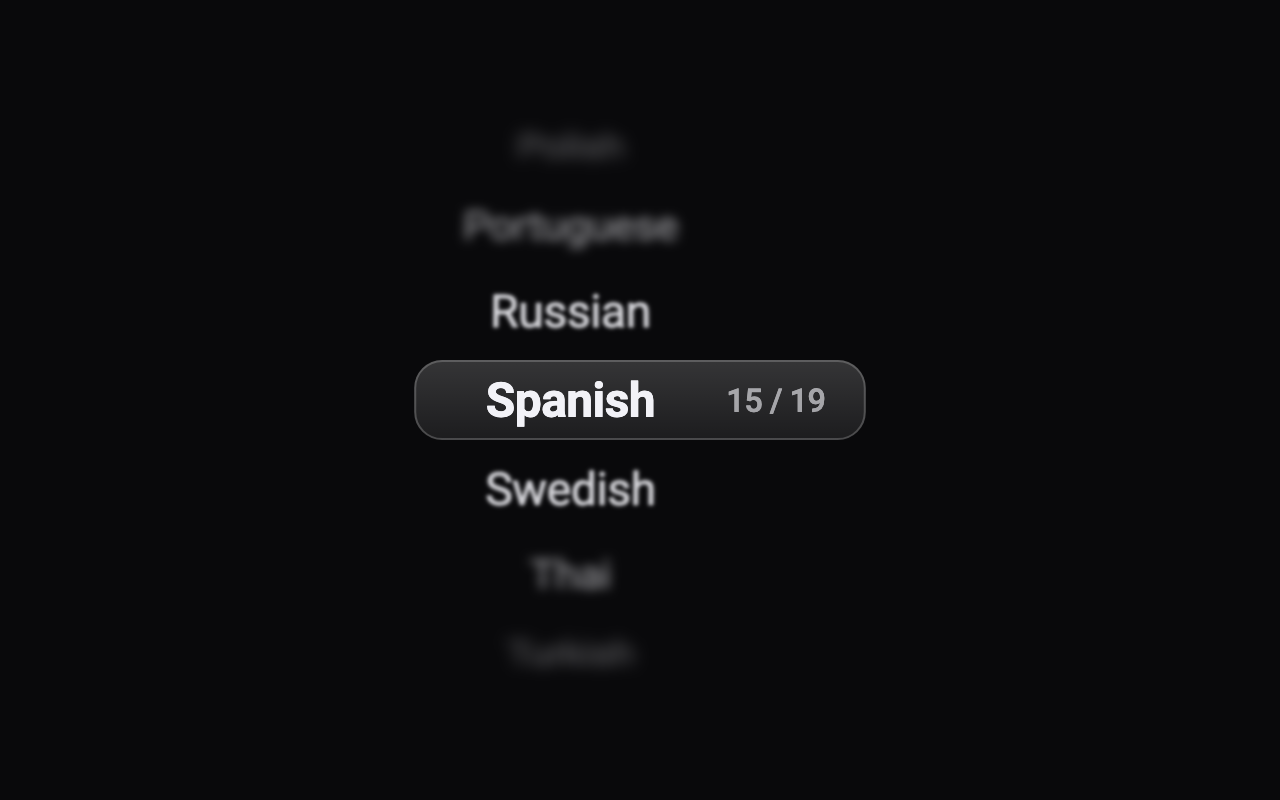
The blur radius of the outermost rows; nearer rows blur progressively less. 0 turns the blur off.
How much the rows away from the middle fade: 0 not at all, 1 until the outermost disappear.
How the middle row is marked: nothing, an accent tint, frosted glass, or two fine accent lines.
The colour of the band's tint or lines.
A count such as 15 / 19 beside the rows.
A light selection click each time the wheel settles on a different row, on phones that support it.
Loading Preview…
Send to your coding agent
Add Sheen's MCP server once, then paste the prompt. No key or account needed.
claude mcp add --transport http sheen https://sheen.ciroapps.com/api/mcp
Use the Sheen MCP server to add the Blur Wheel Picker Component to this Flutter app. Call get_export with componentId "blur-wheel-picker" and parameters {"sample":"languages","selected":14,"looping":false,"rowHeight":44,"visibleRows":7,"blurStrength":5,"fadeStrength":0.7,"band":"glass","textColor":"F2F2F7","accentColor":"7C5CFF","fontSize":24,"showCounter":true,"haptics":true}, then follow the install steps it returns. (Tuned in the Sheen Playground: https://sheen.ciroapps.com/c/blur-wheel-picker?sample=languages&selected=14&looping=false&rowHeight=44&visibleRows=7&blurStrength=5&fadeStrength=0.7&band=glass&textColor=F2F2F7&accentColor=7C5CFF&fontSize=24&showCounter=true&haptics=true)