Parameters
Also the name screen readers announce for the dialog. Empty hides it.
The text under the title. Empty hides it.
Leave it empty for a single button.
The primary button's fill. Its label turns white or near-black, whichever reads better.
The title, the message (a little dimmer) and the secondary button's label.
How much the glass frosts what's behind it.
How strongly the glass bends what's behind it near its edges, from flat to the most its rim can show.
How much of the tint colour shows in the glass.
How bright the lit edge of the glass is.
The buttons round to match, up to a full capsule.
How much shadow the dialog casts on the screen behind it.
How much the screen behind dims while the dialog is open. Applied by showGlassDialog; a GlassDialog you place yourself doesn't dim anything.
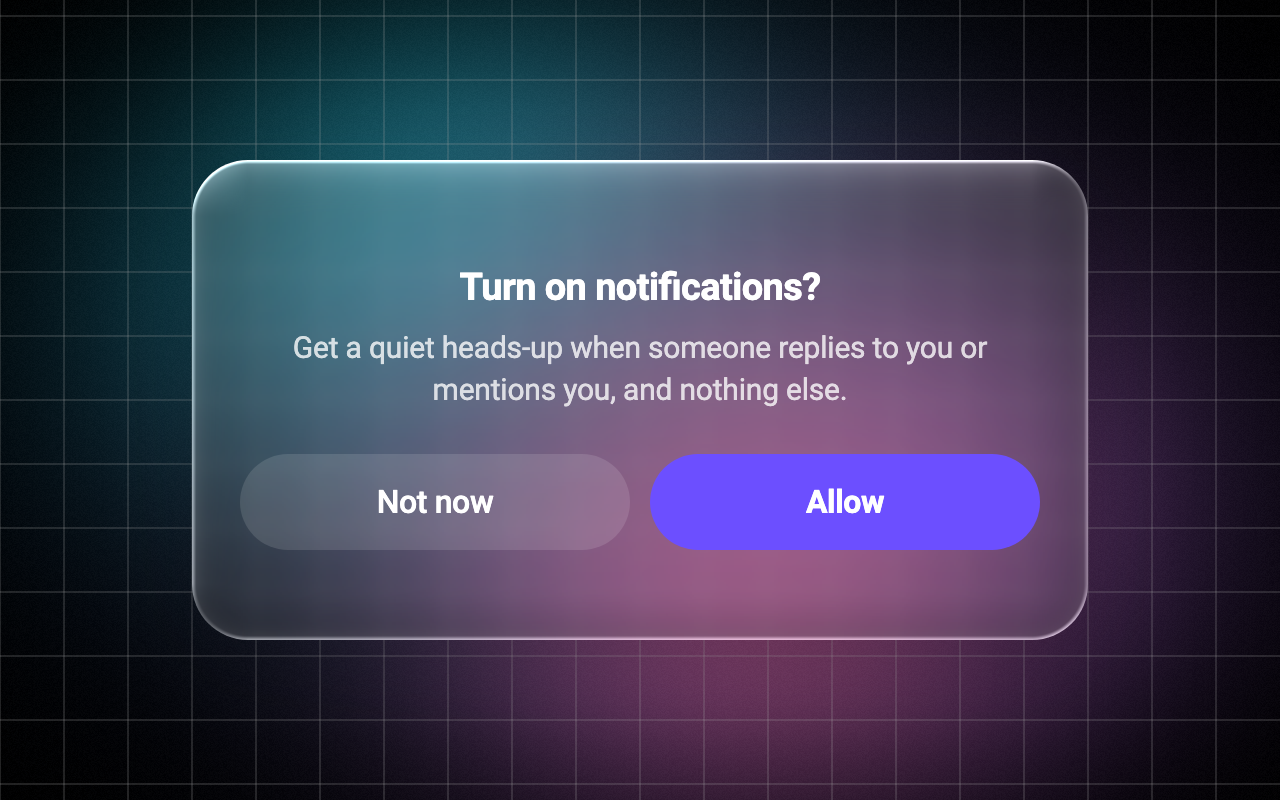
Loading Preview…
In the browser this Preview is drawn from a snapshot of the scene behind it. On iOS and Android the Export works on your real content, live.
Send to your coding agent
Add Sheen's MCP server once, then paste the prompt. No key or account needed.
claude mcp add --transport http sheen https://sheen.ciroapps.com/api/mcp
Use the Sheen MCP server to add the Glass Dialog Component to this Flutter app. Call get_export with componentId "glass-dialog" and parameters {"title":"Turn on notifications?","message":"Get a quiet heads-up when someone replies to you or mentions you, and nothing else.","primaryLabel":"Allow","secondaryLabel":"Not now","accentColor":"6C4FFF","textColor":"FFFFFF","blur":8,"refraction":0.7,"tint":"FFFFFF","tintStrength":0.1,"rim":0.7,"cornerRadius":28,"shadow":0.5,"scrim":0.35}, then follow the install steps it returns. (Tuned in the Sheen Playground: https://sheen.ciroapps.com/c/glass-dialog?title=Turn+on+notifications%3F&message=Get+a+quiet+heads-up+when+someone+replies+to+you+or+mentions+you%2C+and+nothing+else.&primaryLabel=Allow&secondaryLabel=Not+now&accentColor=6C4FFF&textColor=FFFFFF&blur=8&refraction=0.7&tint=FFFFFF&tintStrength=0.1&rim=0.7&cornerRadius=28&shadow=0.5&scrim=0.35)