Parameters
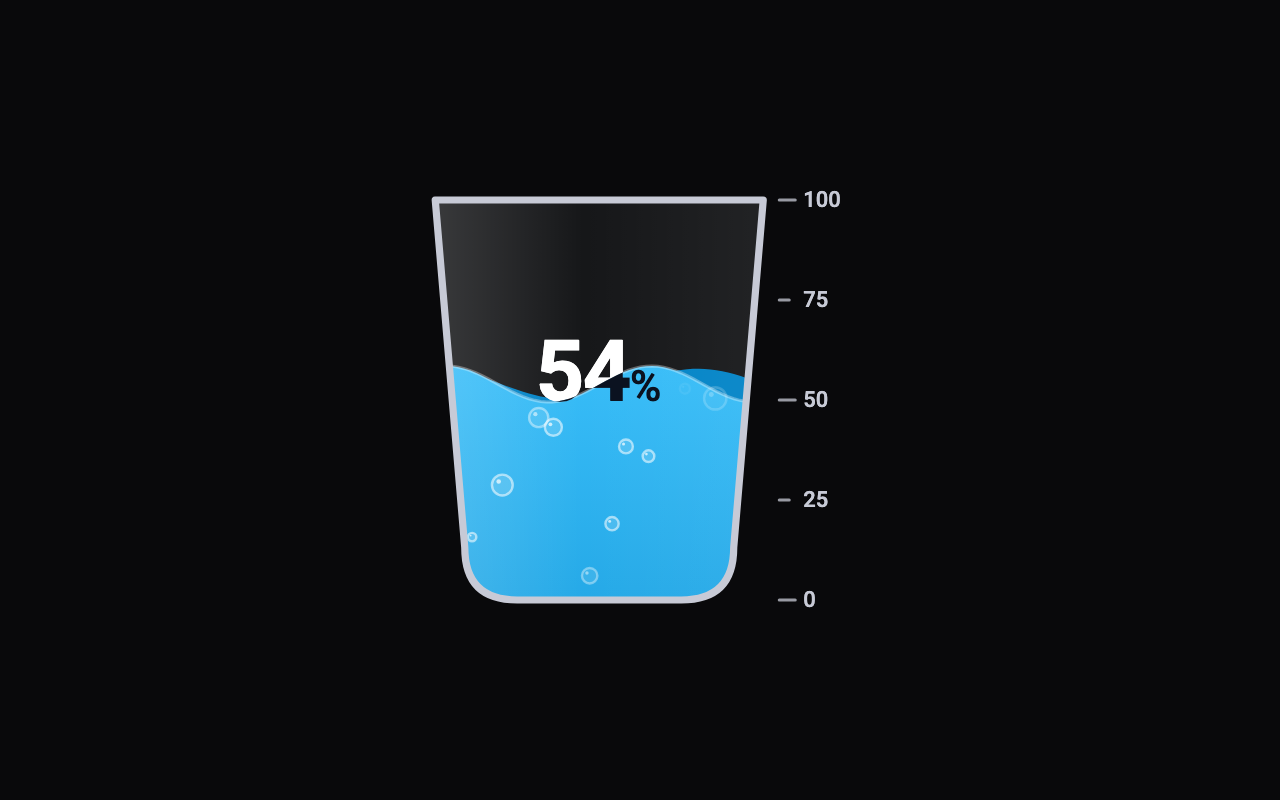
The vessel that fills: a round flask, a tumbler, a bottle or an upright battery.
How full the vessel is, out of the max (100 by default); change it to watch the level rise or fall on a spring and slosh.
The colour of the front wave and the body of the liquid.
The colour of the wave behind the front one; a darker shade gives depth.
The colour of the vessel's outline, the tick marks and their labels.
How tall the waves are, in logical pixels; 0 gives a flat surface.
How fast the waves travel; 0 holds them still.
Small bubbles drifting up through the liquid.
A scale of tick marks and labels down the right-hand side.
The number in the middle, counting with the level and drawn in two colours so it reads above and below the liquid line.
The vessel's height; its width follows from the shape.
Loading Preview…
Send to your coding agent
Add Sheen's MCP server once, then paste the prompt. No key or account needed.
claude mcp add --transport http sheen https://sheen.ciroapps.com/api/mcp
Use the Sheen MCP server to add the Liquid Fill Gauge Component to this Flutter app. Call get_export with componentId "liquid-fill-gauge" and parameters {"shape":"glass","value":54,"liquidColor":"38BDF8","liquidDeepColor":"0284C7","vesselColor":"C7CAD6","waveHeight":9,"waveSpeed":0.7,"bubbles":true,"ticks":true,"showReadout":true,"size":200}, then follow the install steps it returns. (Tuned in the Sheen Playground: https://sheen.ciroapps.com/c/liquid-fill-gauge?shape=glass&value=54&liquidColor=38BDF8&liquidDeepColor=0284C7&vesselColor=C7CAD6&waveHeight=9&waveSpeed=0.7&bubbles=true&ticks=true&showReadout=true&size=200)