Parameters
The items to search when the app passes none of its own: cities with their countries, apps with what they are for, or people with their roles.
The text in the search field to begin with. Type in the Preview to try the list; clear it to see every row.
A soft filled field, an outlined one, or text on a line.
The surface of the filled field.
The rows' text and what you type.
The subtitles, the placeholder, the count and the icons.
The soft tint behind the part of a row that matched.
The focus outline, the cursor and the highlighted row.
At the default text size; rows grow with larger text.
The radius of the field's and the highlighted row's corners.
Show the number of results between the field and the rows. Screen readers hear it either way.
How long rows take to fade and move. 0 makes every change instant.
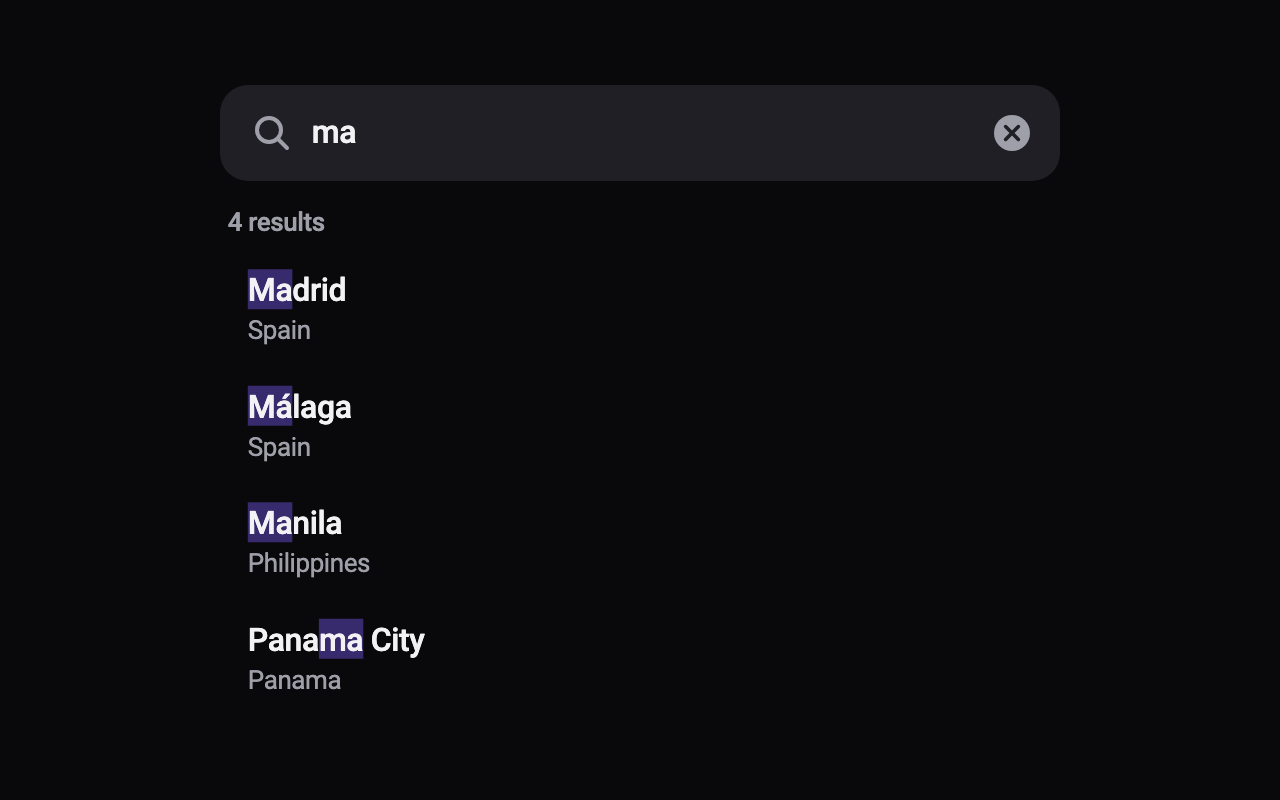
Loading Preview…
Send to your coding agent
Add Sheen's MCP server once, then paste the prompt. No key or account needed.
claude mcp add --transport http sheen https://sheen.ciroapps.com/api/mcp
Use the Sheen MCP server to add the Search Filter List Component to this Flutter app. Call get_export with componentId "search-filter-list" and parameters {"sample":"cities","query":"ma","fieldStyle":"filled","fieldColor":"1F1F25","textColor":"F2F2F5","subtitleColor":"9F9FAA","highlightColor":"7C5CFF","accentColor":"7C5CFF","rowHeight":56,"cornerRadius":14,"showCount":true,"animationMillis":320}, then follow the install steps it returns. (Tuned in the Sheen Playground: https://sheen.ciroapps.com/c/search-filter-list?sample=cities&query=ma&fieldStyle=filled&fieldColor=1F1F25&textColor=F2F2F5&subtitleColor=9F9FAA&highlightColor=7C5CFF&accentColor=7C5CFF&rowHeight=56&cornerRadius=14&showCount=true&animationMillis=320)